SecureDrive Brand

Logo
SecureDrive primary logo
The SD Primary logo represents the core brand identity and should be used in all digital and print applications on a white background.
The SD Primary Logo incorporates the full-color application of the Primary Palette, (SD orange and 60% grey).

SecureDrive secondary logo
The SD Secondary Logo incorporates one color (60% gray or white). It should only be used when the SD Primary Logo does not provide enough contrast against photographs or solid-colored backgrounds.

Clear space
The minimum size requirements for the SecureDrive Logo is 1.5” wide, illustrated below. Please do not scale the logo down further for any application.
Use of the logo should allow surrounding space of equal to the height of the logo itself. This surrounding space should be free of all graphics, imagery and other logos.
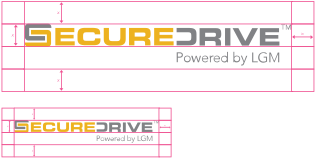
Minimum size requirements
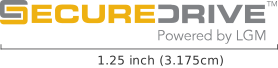
The minimum size requirement for the SecureDrive Logo: 1” wide.
Logo usage
Never fill the SD logo with any other colour, texture, or outline.

Never apply any colours or colour combinations outside the SD palette to the SD logo.

Only apply the SD logo to photographs and background colours that have adequate contrast, ensuring the logo is clearly visible.

Do not distort the logo

Do not replace the logo typeface or mix any logo elements with a standard typeface

Do not create any alternate versions of the logo. Never remove the TM/MD symbol.

Do not use the ’S’ symbol in any application other than the proper logo usage outlined above.
Colour palette
Primary palette
The SD Primary Palette features two distinct colours, to be used along with white (the latter being either a background or a fill of the logo). The logo, colour in these colours when advertising or promoting the SecureDrive global brand*.
Product-specifc colours vary and can be found in the Extended palette.
* For branded product application, only SD Grey be used to fill the logo (or white fill if logo is reversed).
SD YELLOW
C 000
M 028
Y 100
K 006
R 238
G 177
B 017
HEX #EEB111
PANTONE 124c
SD GREY
C 000
M 000
Y 000
K 060
R 128
G 129
B 132
HEX #808184
WHITE
C 000
M 000
Y 000
K 000
R 255
G 255
B 255
HEX #FFFFFF
Extended palette
The SD Extended Palette provides a range of greys to be than the logo, within any given medium. This range features SD Black plus a tint (SD LT Grey) and a shade (SD DK Grey) for general use outside of the SD logo* application.
This Extended Palette is intended for elements such as headings, sub-headings, body copy and pull-out quote applications, along with filling visual support elements.
* The SD logo should only ever be in the Primary Palette colours, DO NOT FILL WITH EXTENDED PALETTE COLOURS. Note that SD Black should be the darkest shade of proper black for anything branded SecureDrive. We do not use 100% black, nor any iteration outside of the provided Extended Palette.
SD BLACK
C 000
M 000
Y 000
K 090
R 042
G 042
B 042
HEX #2A2A2A
SD DARK GREY
C 000
M 000
Y 000
K 070
R 100
G 100
B 100
HEX #646464
SD LT GREY
C 000
M 000
Y 000
K 030
R 180
G 180
B 180
HEX #B4B4B4
Typeface
Primary
The primary typeface for SecureDrive is Avenir Next, and is suggested for all printed materials.
For headlines, consider using Avenir Next Heavy. To emphasize bullet points or quotations, use Avenir Next Demi bold.

Secondary
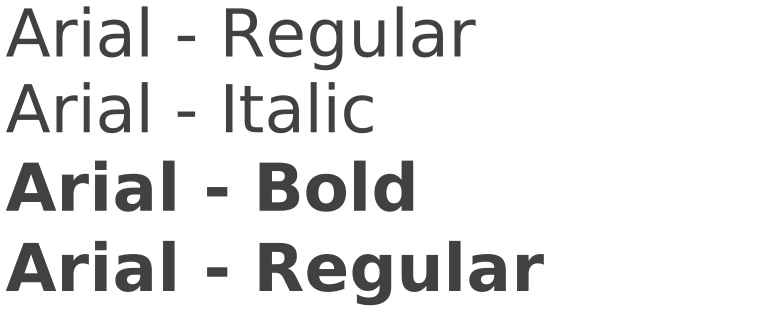
The secondary typeface for SecureDrive is Arial and is used when Avenir is unavailable on your computer. Arial is the desired font for all email correspondence as most PC’s have Arial in their operating system. If Avenir is used for Microsoft Office documents, it is likely the recipient’s computer will default to ‘Times’ instead of Arial. In addition, for hypertext, use Arial for body copy in any website application. Please use Arial for all email correspondance and microsoft programs (Word, Excel, Powerpoint etc).
Iconography
SecureDrive icons
There are alternate icons we use on the SecureDrive website, this is also for digital use. The icon style is basic straight lineal.

SecureDrive product suite
There are nine core products within the SecureDrive product suite. Product fit within distict coverage groups as follows:

Mechanical Breakdown Protection

Appearance Protection

Electric Vehicle Protection

Vehicle Loss Privilege Program

Loan Protection

Replacement Insurance

Anti-Theft

Guaranteed Asset Protection